SEE THE RESULTS
Unforgettable Car AI examples.
Three silent examples show a portrait becoming the main subject of the card-to-car reveal video. Each sample is 15 seconds; carpark and street are 720p, and rooftop is 480p.
VIDEO EXAMPLES
Make the viral car reveal with your photo.
Three portraits, three car reveal moments. See the photo behind each video.

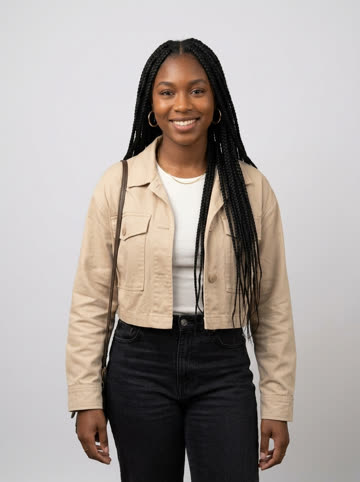

Watch the full 15-second reveal in each silent example. Carpark and street are 720p; rooftop is 480p.
Make yoursWhat to look for in a result
Watch the full silent clip. Notice the face, the hands near the lens, the card cover, the vehicle reveal and clothing edges. The examples help you choose a style; your own photo will produce a different result, and AI can change details.
Choose a better photo →BEFORE YOUR FIRST TAKE
Unforgettable Car AI FAQ
How do I make an Unforgettable car trend video with my own photo?
Yes. Start with one clear selfie or portrait, then choose a car and scene. AI creates a video featuring you in the 2-and-4 card reveal. No car footage or editing is needed. If you use a group photo, crop it to one person first. Read the full answer →
Which photos work best?
Choose a sharp, well-lit portrait with an unobstructed face. Avoid collages, heavy filters, extreme angles and distant figures. JPG, PNG and WebP are accepted, up to 10 MB. You do not need to photograph yourself at a card reveal.
Will the result match my photo and reference exactly?
Your photo helps the AI recreate your appearance, with your chosen car and scene. Facial details, hands, clothing and vehicle details can vary; an exact match is not guaranteed. Watch the examples to decide whether the style suits you.
What video will I receive?
You receive a silent MP4 you can save and share. The studio uses 720p output settings. All three examples run for 15 seconds: carpark and street are 720p, while rooftop is 480p.
Can I use someone else’s photo?
Use photos you own or have permission to upload, and get the person’s consent. The result is AI-generated entertainment. Do not present it as footage of something that person actually did.
How do I download and share my video?
Download your MP4 from My videos within 30 days, then share it yourself. There is no automatic social posting. Review the result and your permissions before sharing; any crop should keep the main subject visible.